Available on Android & iOS

Track calories.
Skip the math.

Snap a photo of your meal and get calories, macros, weight and steps — no manual logging, no guesswork, all in one clean app.
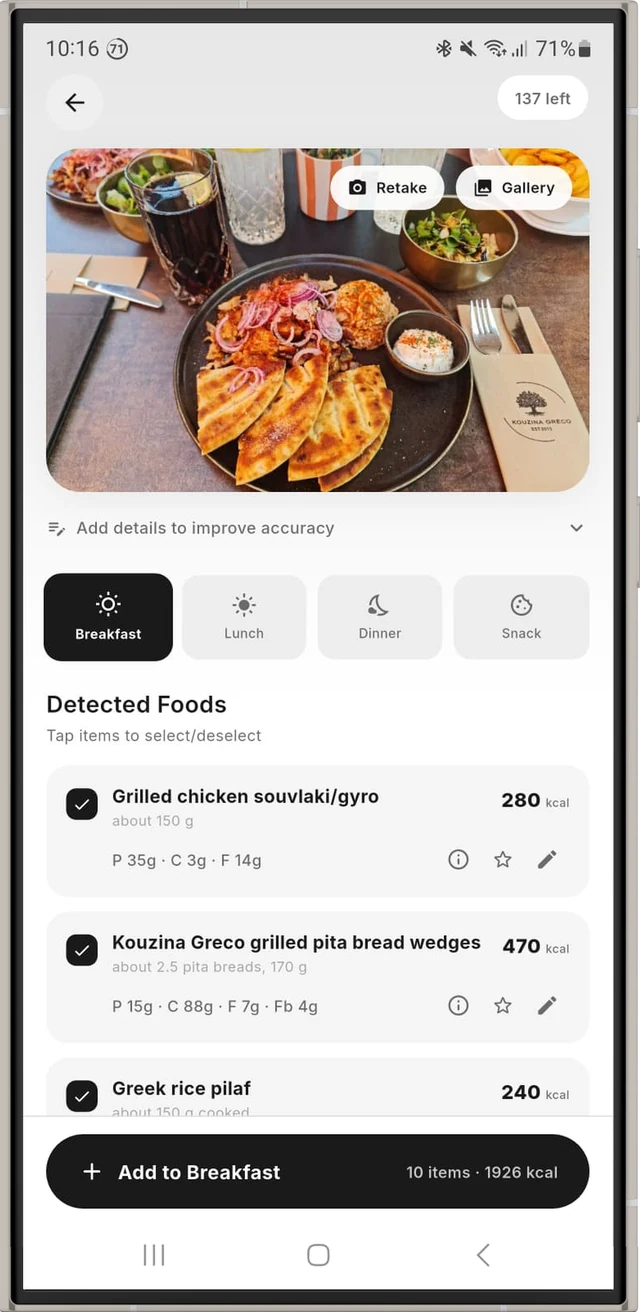
CalTracker AI food scanner detecting the foods in a meal photo
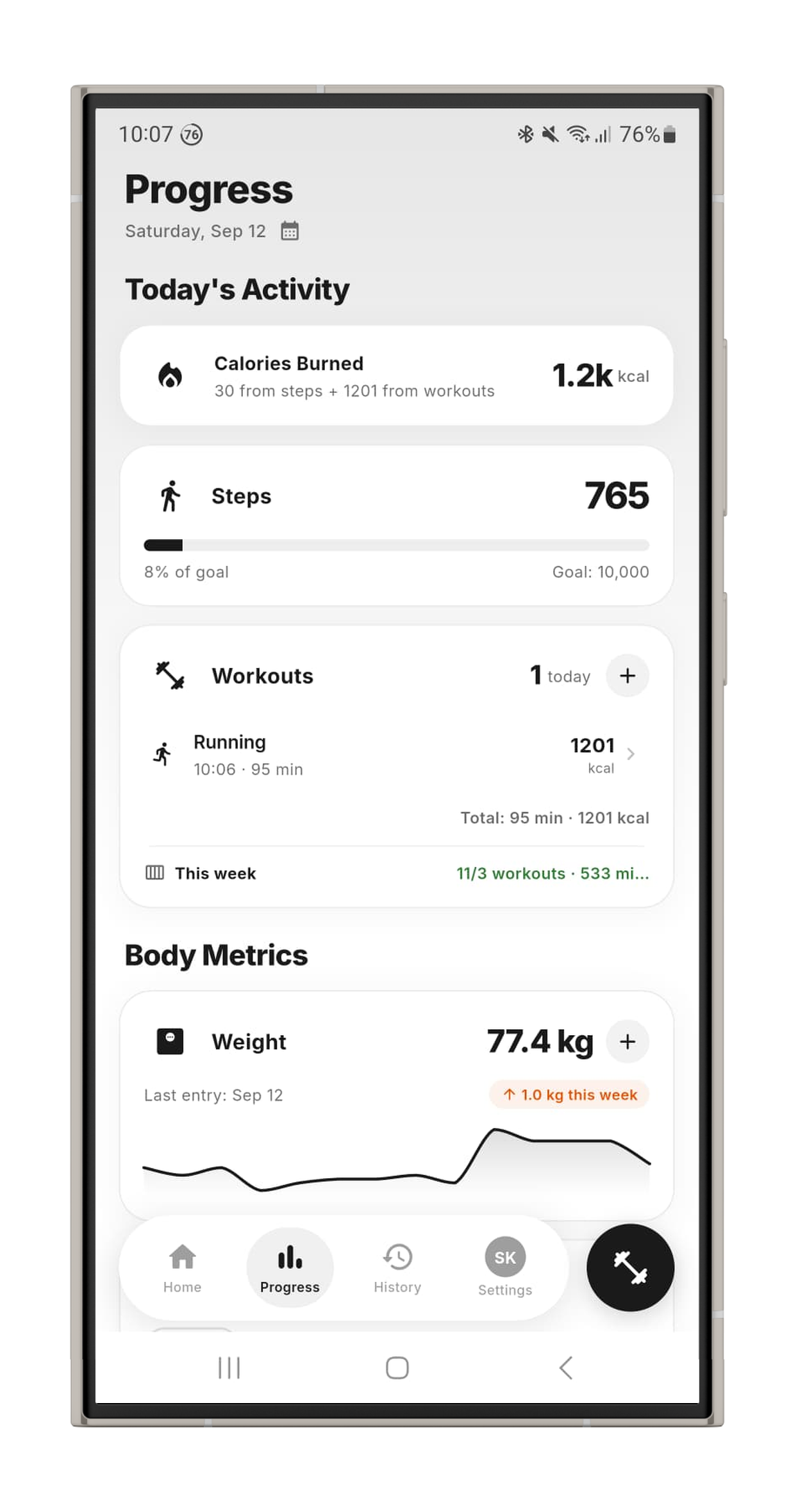
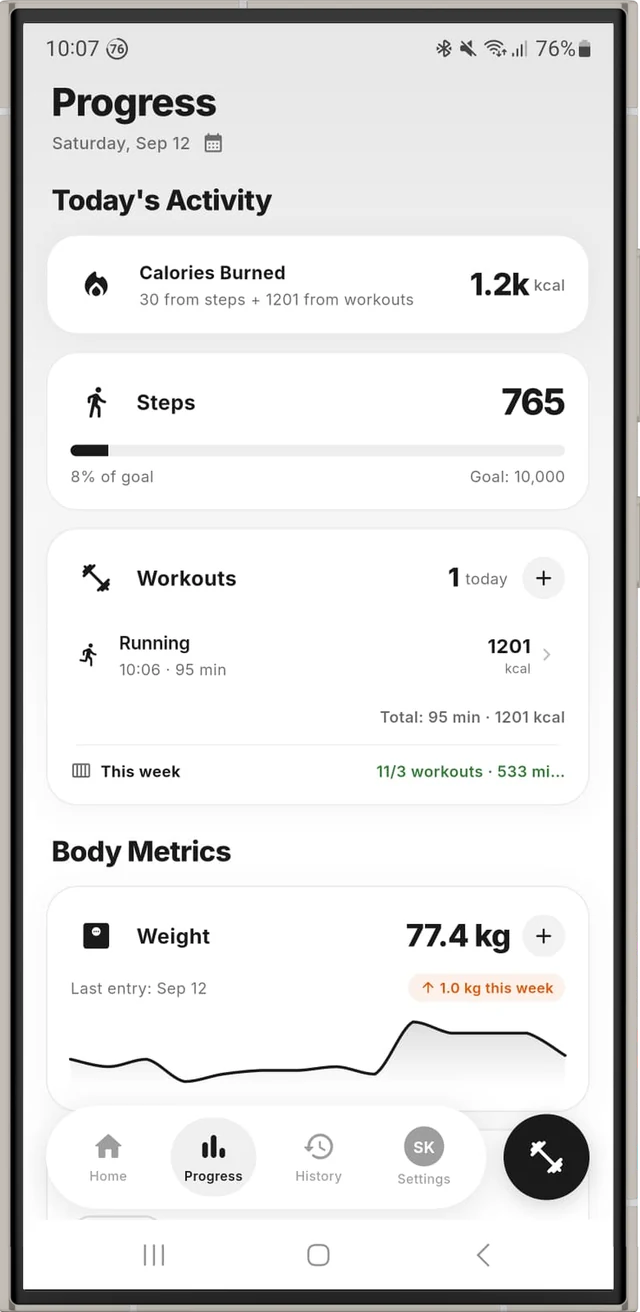
CalTracker progress screen with calories burned, steps, workouts and weight
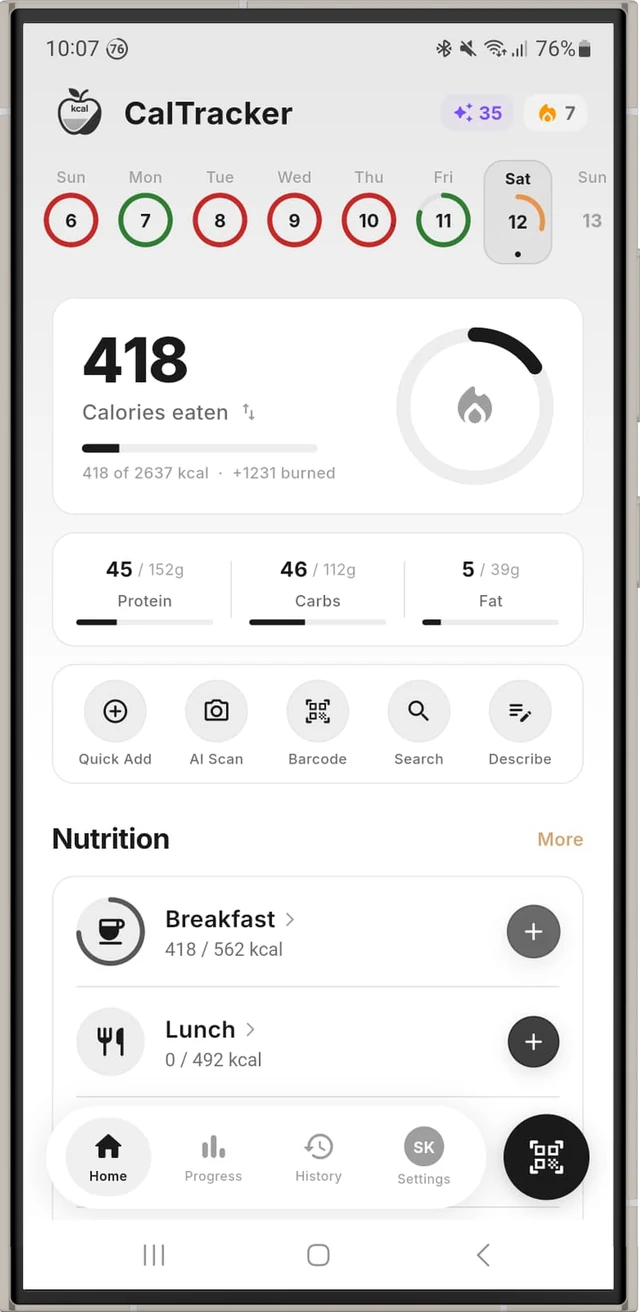
CalTracker AI calorie counter home screen showing daily calories and macros
5
Ways to log food
AI
Photo scanning
Offline
Search, quick add & history
Free
Daily AI usage

See CalTracker in action

A clean, intuitive interface that makes nutrition tracking feel effortless.
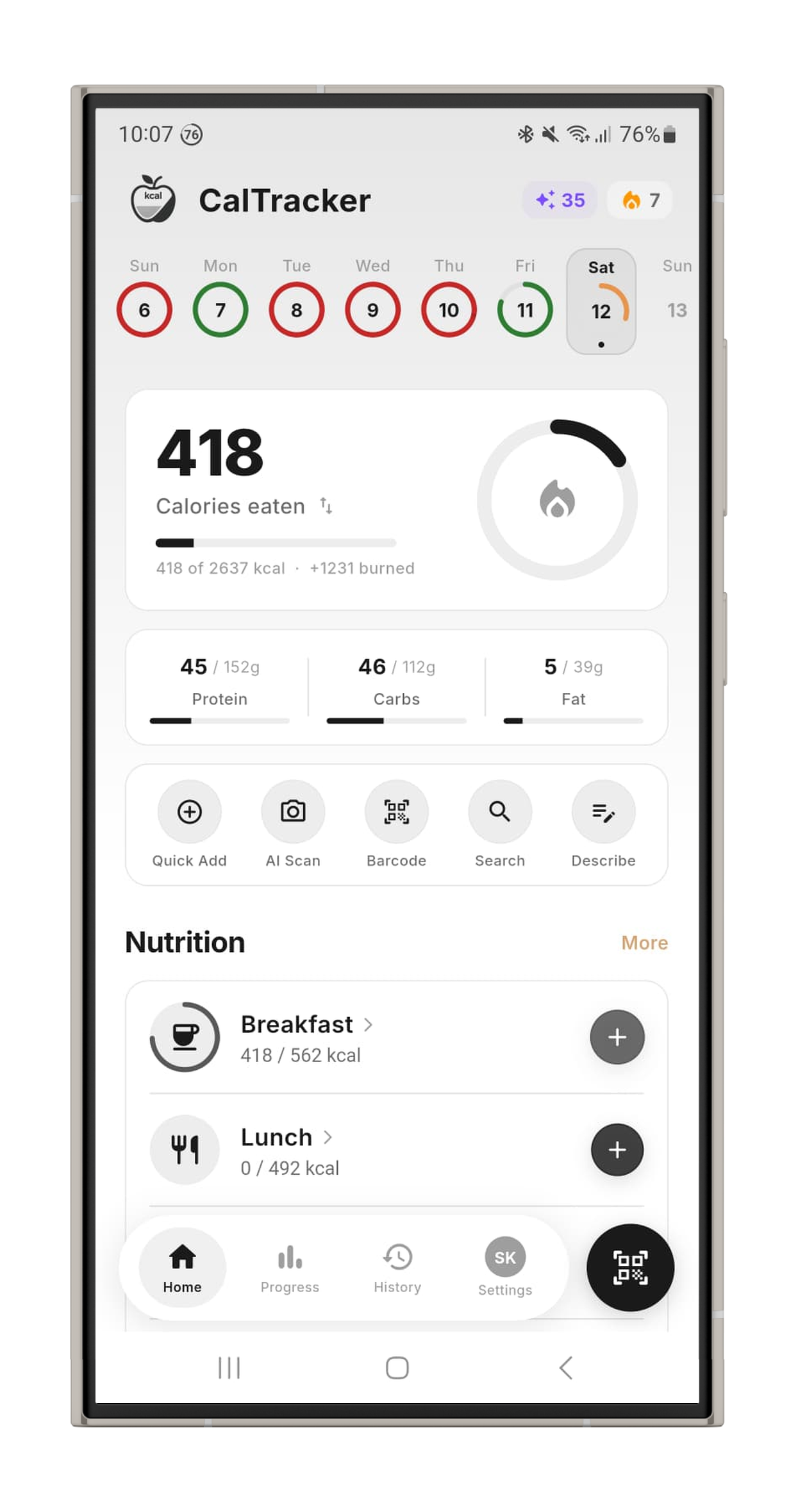
CalTracker home screen with calorie and macro dashboard
Home Dashboard
AI food scanner recognising a meal and estimating calories
AI Food Scanner
Weekly calorie and macro statistics and progress charts
Statistics
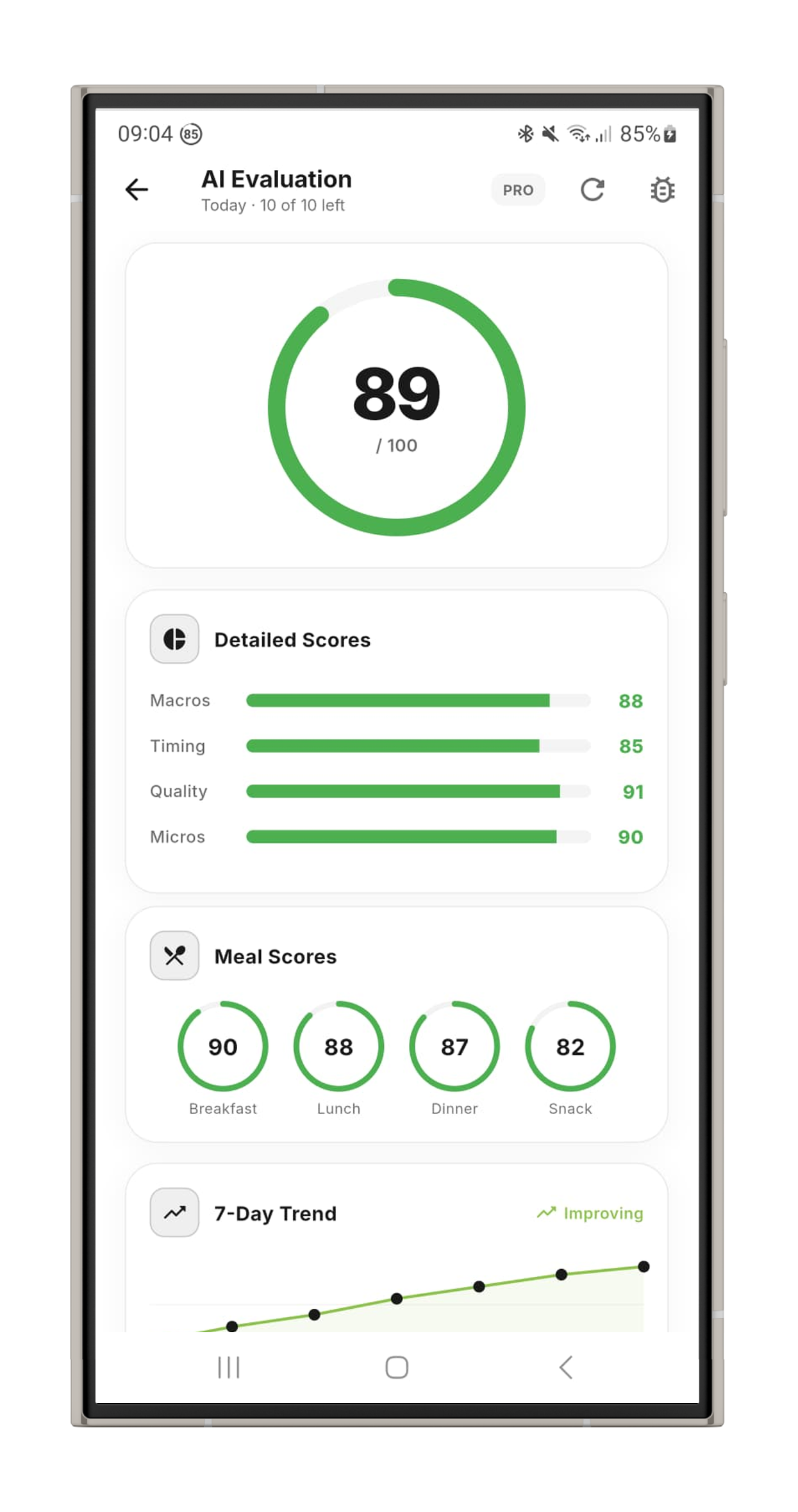
AI daily meal evaluation and nutrition score
AI Meal Rating
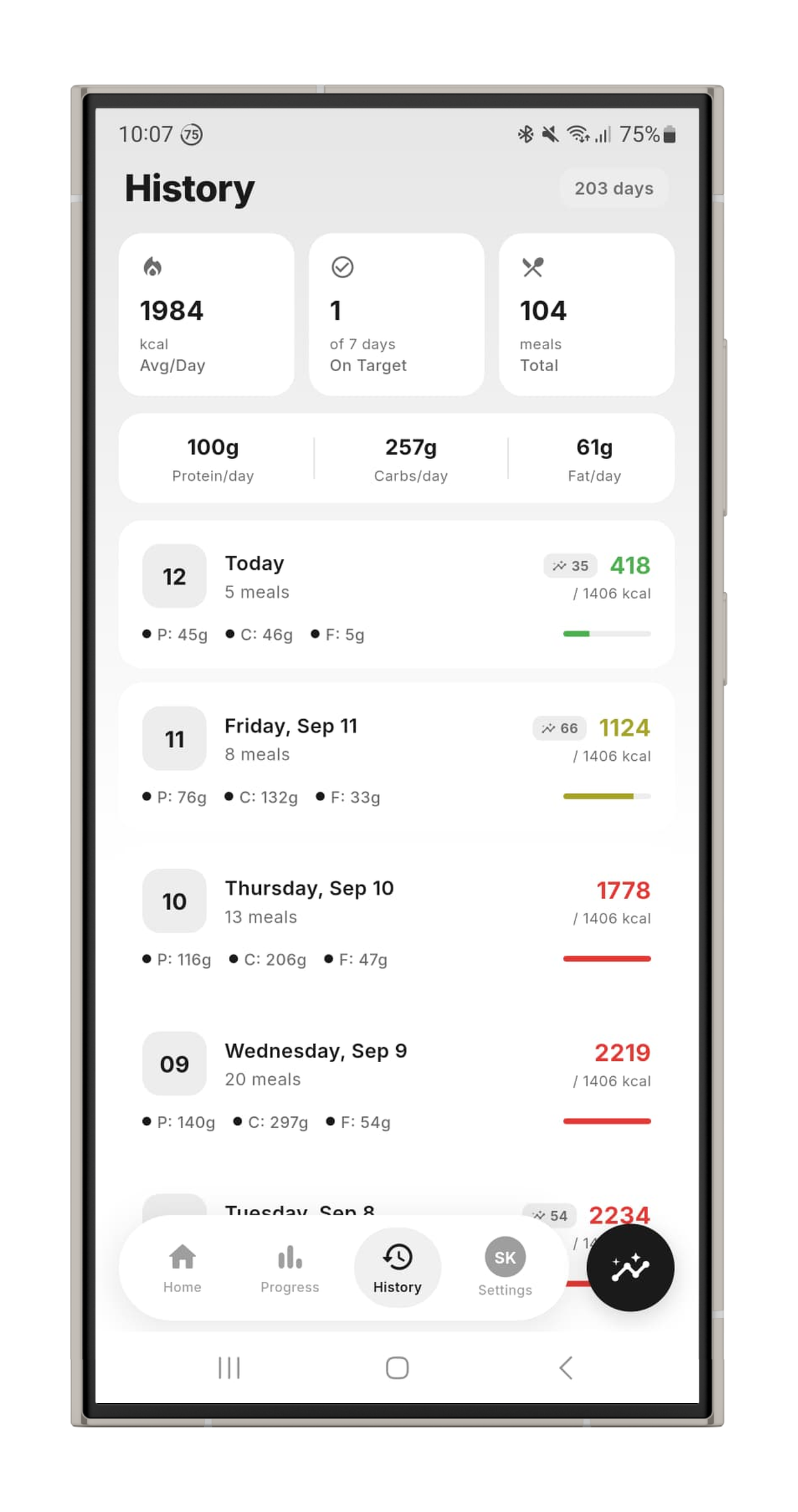
Meal history log of tracked calories and macros
Meal History
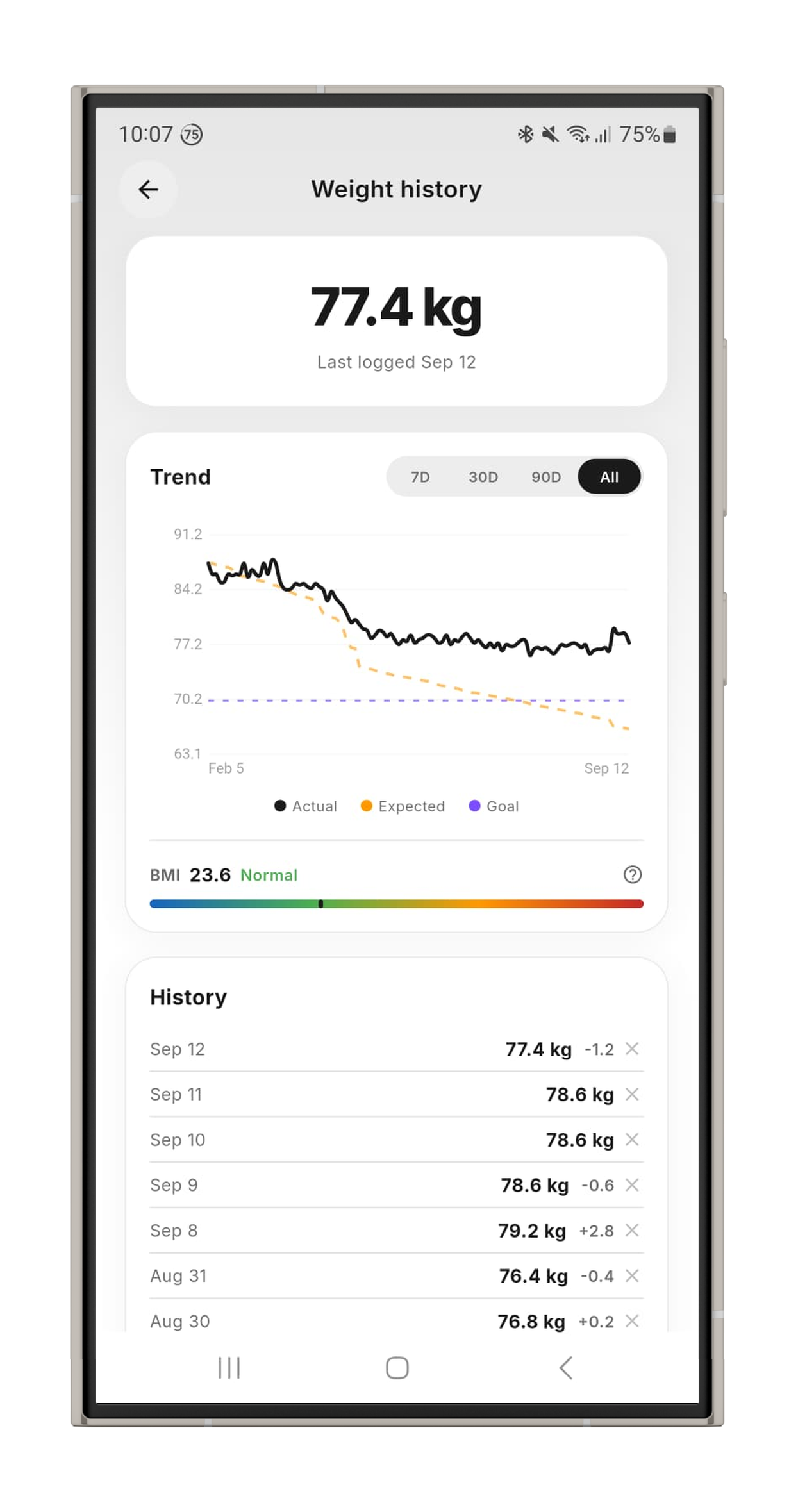
Weight history chart with BMI gauge and goal trend
Weight Tracking

Fresh in the latest update

Faster logging, smarter scans and more ways to keep an eye on your progress.

Home screen widgets

Calories, macros, activity, water, weight, streak and quick actions right on your home screen — on iOS and Android.

Scans run in the background

Snap your meal and put the phone away. The AI finishes the analysis in the background and notifies you when it's ready.

Add details by voice

Dictate extras like “half portion, no sauce” straight into the AI scanner for more accurate results.

Nutrition details per food

Tap any detected item to see its full nutrient breakdown, how confident the AI is and where the values come from.

Instant search, even offline

Results appear as you type from an on-device food index for your region — and keep working without a connection.

Weight trends your way

Filter your weight chart by 7 days, 30 days, 90 days or all time, and see every goal-weight change on the date you made it.

Designed to be simple

Just snap a pic

Point your camera at any meal. CalTracker's AI detects individual food items, estimates portions, and calculates calories and macros — all in seconds.

  • Detects multiple items in one photo
  • Shows confidence percentage per item
  • Full macro breakdown (P / C / F)
  • Select or deselect items before logging
  • Keeps analyzing in the background
AI food scanner estimating calories from a food photo

Track your progress

See today's activity at a glance — calories burned from steps and workouts, step count with goals, and your weight trend over time.

  • Calories burned from steps + workouts
  • Step counter with daily goal
  • Weight trend by 7D, 30D, 90D or all time
  • Health Connect & Apple Health sync
Calorie and macro statistics and progress tracking

Let AI rate your meals

Get a personalized daily nutrition score from 0 to 100. See your energy balance, individual meal scores, and detailed category breakdowns.

  • Overall score with AI explanation
  • Energy balance (consumed − burned = net)
  • Individual meal scores
  • Macros, Timing & Quality breakdown
AI meal evaluation giving a daily nutrition score

Compare your meals

Browse your full history with daily summaries. See averages, days on target, total meals, and compare your macro intake day by day.

  • Average calories per day
  • Days on target counter
  • Daily AI score per entry
  • Color-coded calorie progress
Meal history showing previously tracked meals and calories

Ready in 3 steps

1

Download

Get CalTracker free on Android or iOS. Quick sign-up, then start tracking.

2

Set your goals

Enter your weight, target, and activity level. CalTracker calculates your daily targets.

3

Start tracking

Log meals with AI, scan barcodes, track water and weight. Watch your progress grow.

Frequently asked questions

Everything you need to know about the AI calorie counter.

Is CalTracker free?
Yes. CalTracker is free to download and includes a free forever plan with full calorie and macro tracking, water and weight tracking, and 20 lifetime AI food scans. Optional Plus and Pro plans unlock more daily AI scans and advanced AI models.
How does the AI food scanner work?
Just snap a photo of your meal. CalTracker's AI recognises the food and instantly estimates the calories, protein, carbs and fat, then logs them to your daily diary — so you don't have to search databases or weigh everything by hand.
How accurate is an AI calorie counter?
AI calorie counters give fast, close estimates that are ideal for tracking trends and staying in a calorie deficit or surplus. CalTracker lets you review and fine-tune every entry, so your log gets more accurate the more you use it.
What can I track with CalTracker?
Calories, protein, carbs and fat (macros), body weight, water intake, steps and activity, daily streaks, and a weekly overview of your progress. An AI daily evaluation even scores your day and suggests how to improve.
Is CalTracker available for iPhone and Android?
Yes. CalTracker is available on both the App Store for iPhone and Google Play for Android, with cloud sync so your data stays up to date across devices.

Get CalTracker

Available on Android and iOS.

Download onGoogle Play
Download onApp Store